
Swiftflip topics.
Browse every Swiftflip topic, from imports and switching to study features.
Featured topics.
AI flashcard generation
Tell the wizard what to focus on, then review the cards before they save.
Open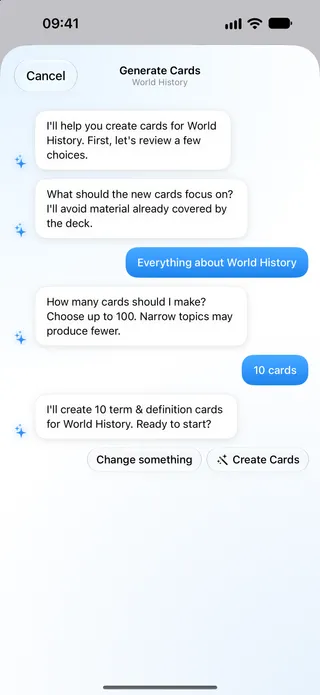
Swiftflip on Apple Watch
Browse decks and folders, tap to flip and swipe to grade. Keep your progress in sync through iCloud.
Open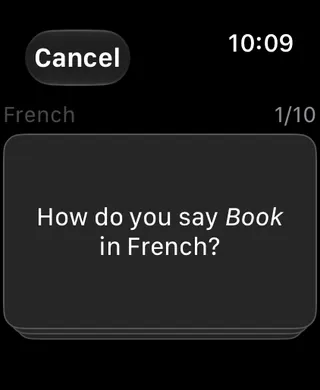
Swiftflip for Mac
Edit cards in a table, search the whole library, keep due counts in desktop widgets and move fast with keyboard shortcuts.
Open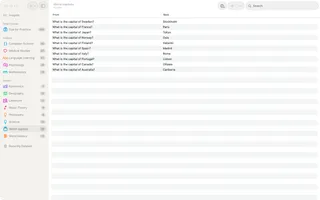
Switching from Anki
Keep the spaced repetition you rely on, with a native Apple app and an Apple Watch you can study on.
Open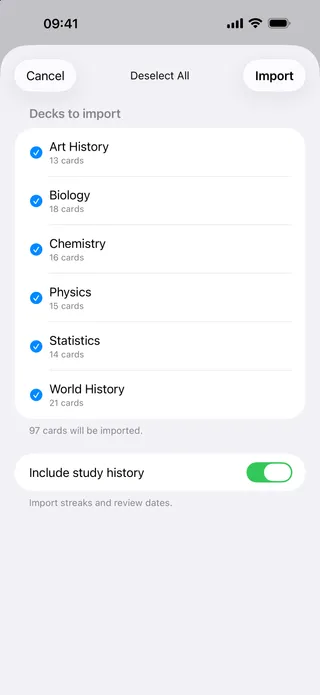
All Swiftflip topics.
Spaced repetition and FSRS, explained
Spaced repetition shows each flashcard again just before you would forget it. Here is the research behind it, how FSRS schedules your reviews and how to write cards that stick.
No account, no tracking
No sign-up or HK Softworks-hosted profile. Your decks stay on your devices and sync through your private iCloud.
Language learning with Swiftflip
Short daily reviews help vocabulary stick. Add audio for pronunciation and run a quick set on Apple Watch.
Smart Decks
Set a rule, like due now or a low review count, and the deck fills itself and keeps updating as you study.
Audio flashcards
Record up to 30 seconds a side on iPhone or Mac. Play it back on iPad or Apple Watch for pronunciation and listening.
Swiftflip pricing
Unlimited decks, cards and daily practice cost nothing. Premium adds Smart Decks, Folders, AI and full Insights.
Swiftflip for iPad
Split the screen on iPad, with your source on one side and the deck you are building on the other.
Siri and Shortcuts
Ask Siri to add a card, start practice or search your library. App Shortcuts work the moment you install.
Find decks and cards with Spotlight
Swiftflip puts deck names and card text in system Spotlight, with in-app search on iPhone, iPad and Mac.
Folders
Group decks in nested folders with their own icon and color, then practice a whole folder in one session.
Anki import
Import .apkg and .colpkg files with cards, formatting and review progress. You can export again anytime, so nothing is locked in.
A private alternative to Quizlet
No ads and no account. Spaced repetition is built in, and a CSV import brings your old sets across.
Flashcard widgets
Home and Lock Screen widgets show due cards, your week or one deck. A control and a Watch complication keep practice one tap away.
Accessibility in Swiftflip
VoiceOver reads every card and control. Text scales with Dynamic Type, and Reduce Motion eases the animations.
Study insights
See your streak, accuracy and time studied, with card-level memory, review history and next review. The streak is free for everyone.
Practice Both Ways
Turn on Practice Both Ways for a deck to keep separate Front → Back and Back → Front progress in the same schedule.
Custom Practice
Choose decks, due-only cards, the first side, session size, card order, study focus and retry behavior on iPhone, iPad and Mac.
Pause Practice
Pause a card or a whole deck so it stays in the library and drops out of due counts until you resume.