
Root pages only
The homepage is blocked. Paths, articles and shared links still open.

Hold That Tab
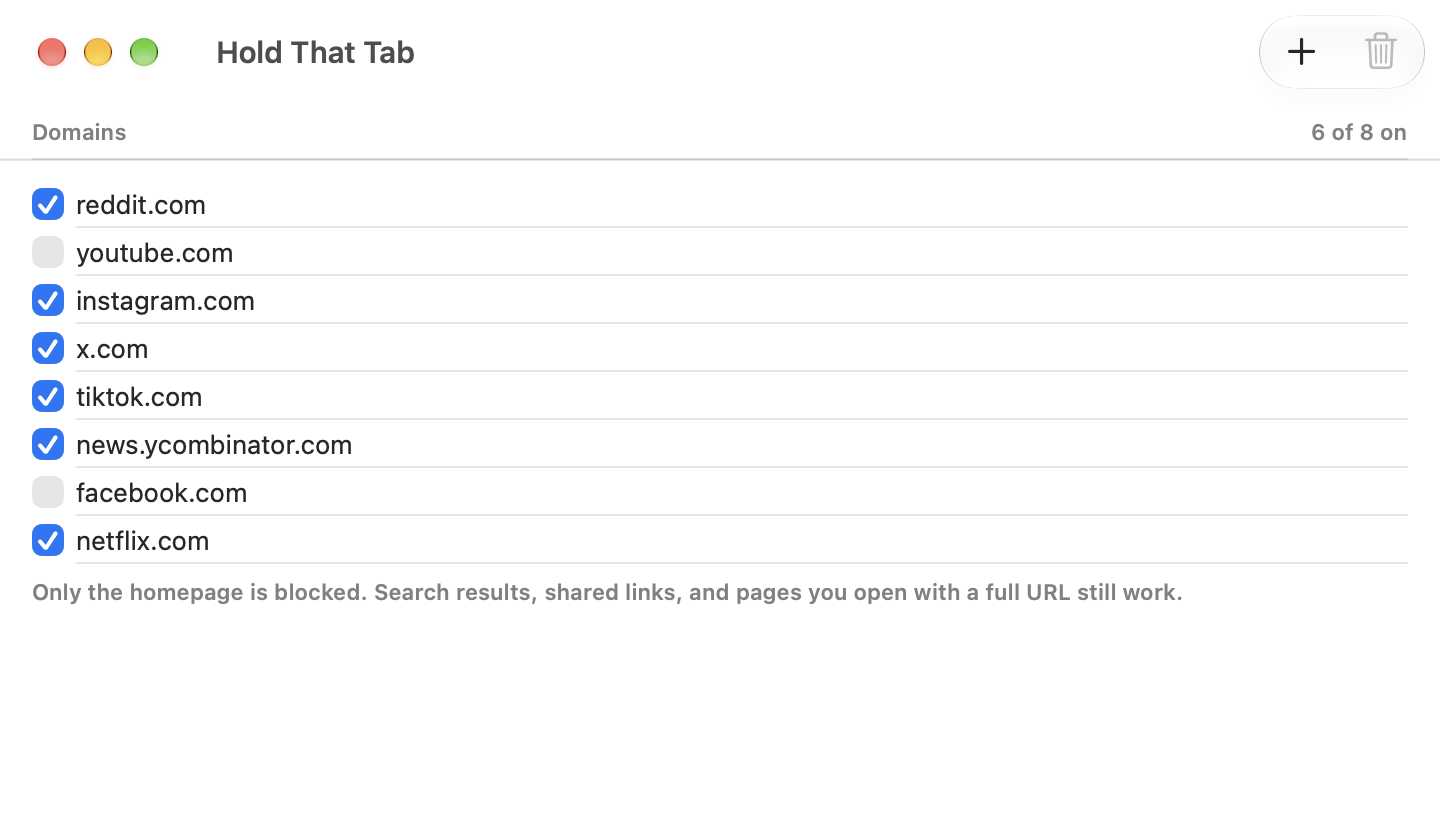
Hold That Tab blocks the root of sites you open by habit, so a typed reddit.com stops, while an article someone sent you still loads.
Available on the App Store · macOS 15 or later.
USD 4.99 · One-time purchase. Prices vary by region.
Block habitual homepage visits while keeping direct links available.
The homepage is blocked. Paths, articles and shared links still open.
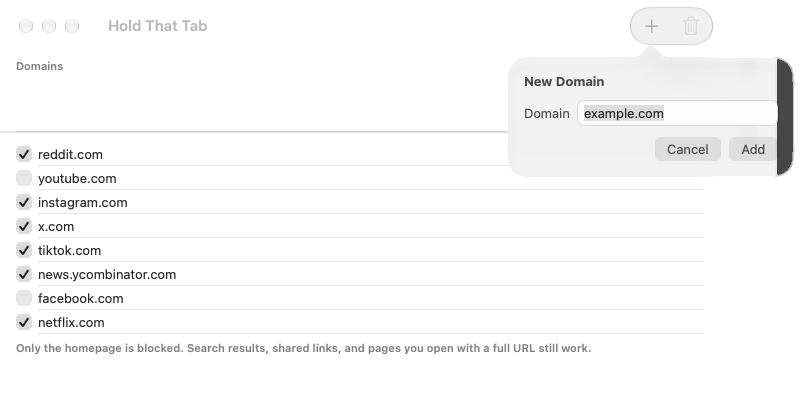
Turn a domain off without losing it. Undo an add or a delete.
Your blocklist follows you to each Mac through your own iCloud.
Enable the blocker for each Safari profile you use.
Hold That Tab stores your blocklist in iCloud, in your own account. We cannot see it. The app does not send domains or browsing history to HK Softworks.
Add and pause domains, understand homepage matching, undo a deletion and keep the same list available on your Macs through iCloud.
Enable the Safari content blocker on your Mac, choose the profiles that use it and check that homepages stop while direct links still open.
No. Only the root page of a domain is blocked. Paths, articles and links someone sent you still open.
No. The list stays in your iCloud. HK Softworks cannot see it and does not receive domains or browsing history.
Open Help in Hold That Tab for setup instructions. In Safari, choose Settings, then Extensions and enable Hold That Tab Blocker. Enable it for each Safari profile you use.
No. Hold That Tab is a Safari content blocker on Mac.
Hold That Tab is a one-time App Store purchase of USD 4.99 in the US, for macOS 15 or later. There is no subscription, and prices vary by region.
Homepage blocking for Safari on Mac.
Available on the App Store · macOS 15 or later.