

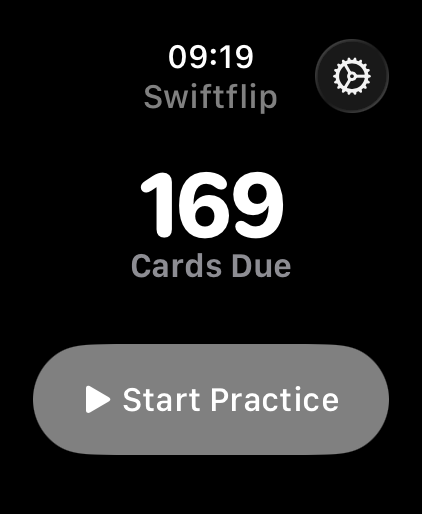

Anki works. That is why leaving it is a real decision and not an obvious one. This page sets out what Swiftflip does better on Apple devices, what carries over and where Anki is still the stronger tool.
What you keep
- spaced repetition for daily review
- your decks, through Anki
.apkgand.colpkgimport - review progress, preserved or estimated when Anki’s data is complete
- an export path so your data stays portable
What you gain on Apple devices
- a native app on iPhone, iPad, Mac and Apple Watch
- private iCloud sync with no account
- Apple features like Spotlight search, Siri, Shortcuts and Home Screen widgets
The goal is not to copy Anki in every detail. It is to make daily study easier to keep up on Apple hardware.
Swiftflip and Anki at a glance
| Capability | Swiftflip | Anki |
|---|---|---|
| Apple Watch app | Yes | No |
| iPhone and iPad | Free tier | Paid app |
| Mac | Yes | Yes |
| Windows, Linux and Android | No | Yes |
| Sync | Private iCloud, no account | AnkiWeb account |
| Spaced repetition | Yes | Yes |
| Anki deck import | .apkg and .colpkg | Native format |
| Study history on import | Preserved or estimated | Kept |
Comparison checked August 2026. Anki states it has no official Apple Watch app. Anki features can change, so verify current details on the Anki website.
Where Anki is still the better choice
Swiftflip does not try to match Anki feature for feature. If your study depends on any of these, staying on Anki is the better call:
- Tags. Swiftflip has no tag system.
- Note types and card templates. Swiftflip cards are front and back only, with no reverse-card generation.
- Writing cloze deletions. Swiftflip imports cloze cards from Anki but cannot author them.
- LaTeX and MathJax. There is no maths or science notation support.
- Add-ons. Anki has a large add-on ecosystem. Swiftflip has none.
- Windows, Linux, Android and the web. Swiftflip is Apple only.
What to do next
Start with one deck you already know well. That makes it easy to compare review flow and device sync before you move a larger collection. Check due dates and any paused cards from Anki after the first import.
The Anki import page covers the file formats and the steps.