

Building a deck from scratch is the part most flashcard apps make slow. Swiftflip Premium gives you a starting point: name a topic, tell the wizard what to focus on and review the cards before they save.
How AI generation works in Swiftflip
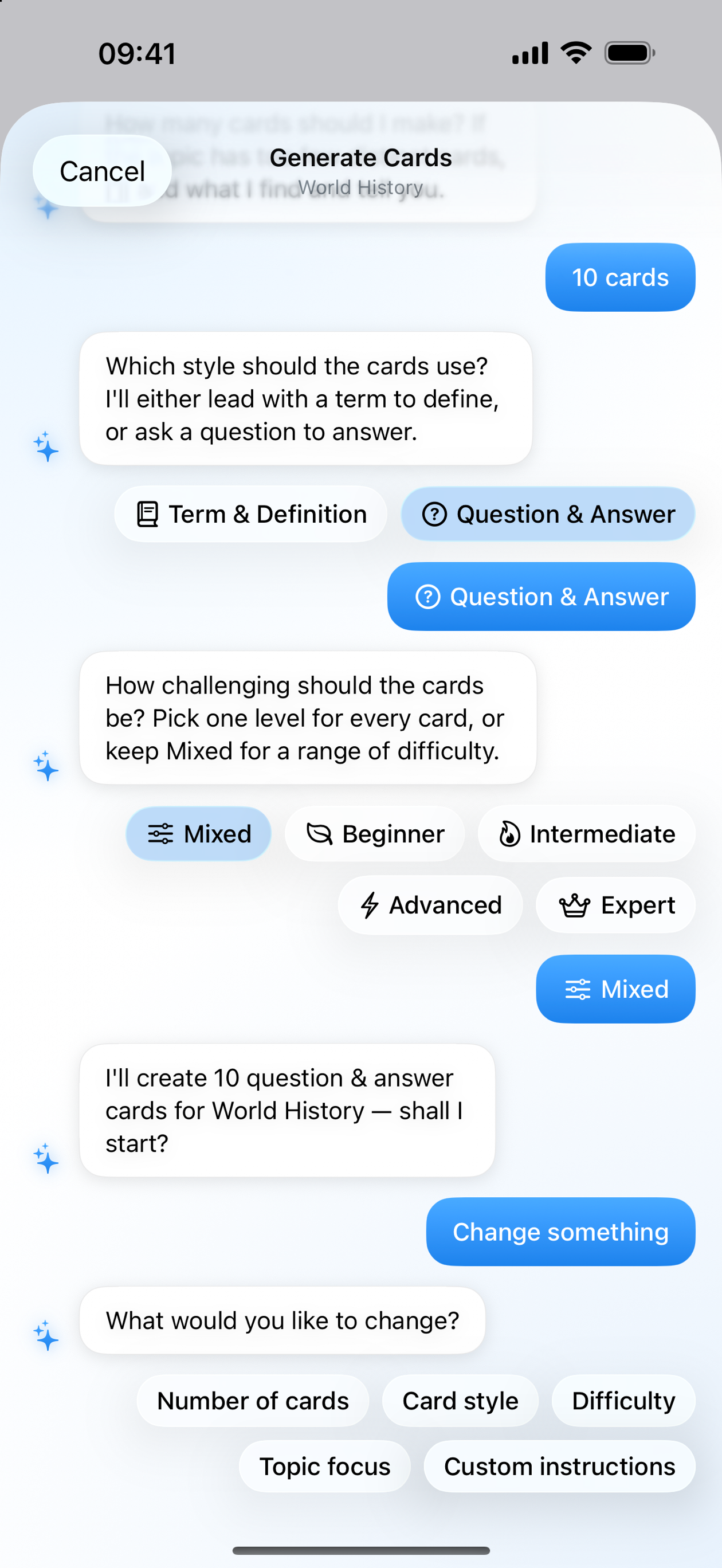
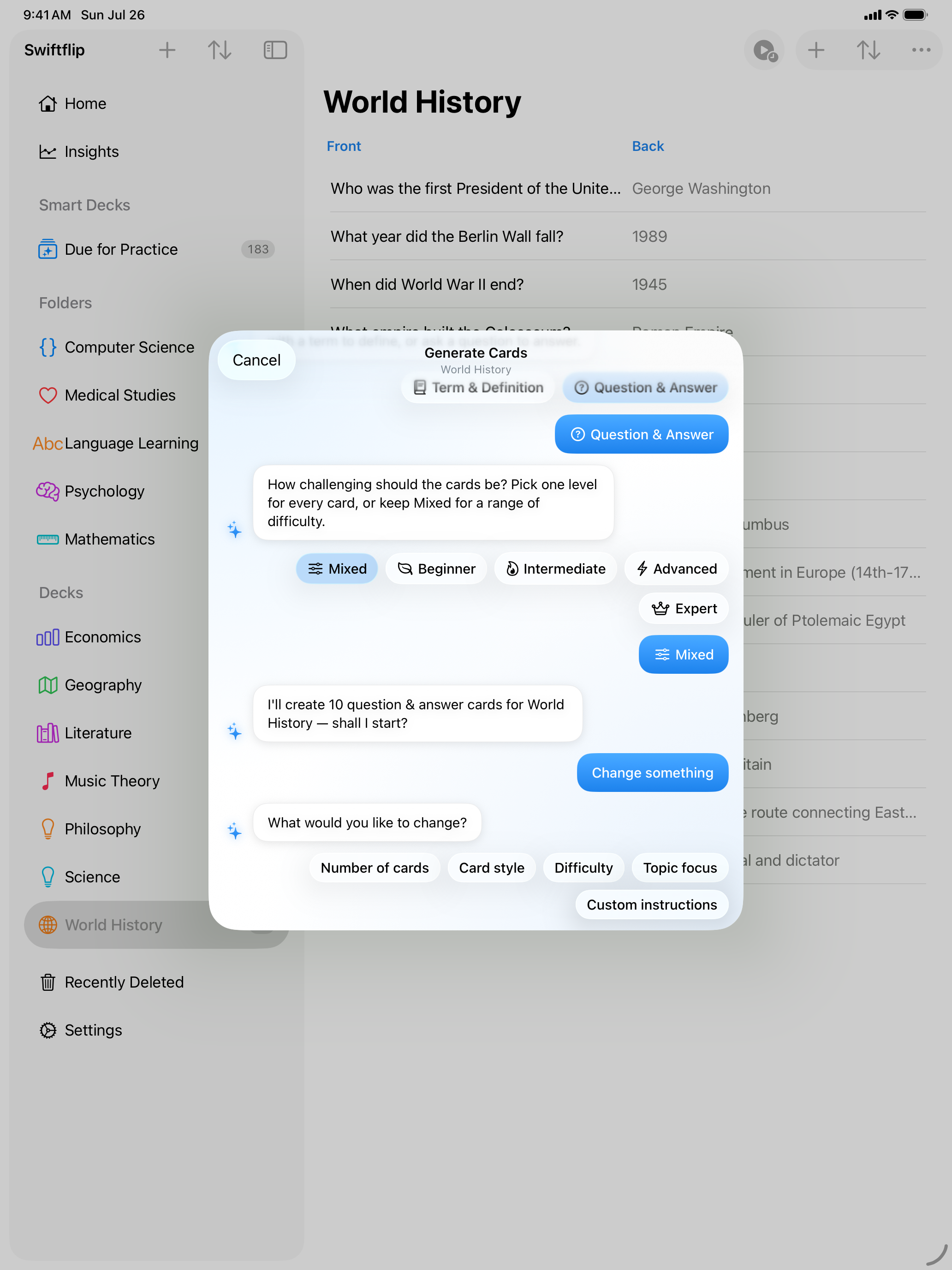
Open the new-deck sheet and choose Create with AI. Give the deck a name that describes the topic. “French verbs in the past tense”, “Renaissance painters” or “C++ memory management” all work. A short conversational wizard asks what the cards should focus on and how many to make, works out the card style from the deck and shows each card as it arrives. Review Cards lists the batch. Save adds the cards you kept.
The intent is to remove the empty-deck problem. You still control how each card is worded and which ones to keep.
What you keep control over
AI generation gives you a starting point, not a finished study source:
- name the deck before generation and rename it later
- choose the focus and the card count
- review generated cards before they save
- regenerate or remove cards you do not want
- edit the front or back of any card after saving
- generate more cards when the deck needs wider coverage
Generated cards become part of your normal Swiftflip library. Spaced repetition, sync, export and Apple Watch practice all work the same way.
Add AI cards to an existing deck
You do not have to start a new deck to use AI. Open a deck you already have and choose Generate Cards. Review the new cards before they save, then they sit alongside the ones you wrote yourself. This is useful when you have built a deck of vocabulary by hand and want to extend it without retyping.
Give a deck its own AI Instructions
Each deck can carry its own AI Instructions, a Premium field for how generated cards in that deck should read. Ask for an example sentence on every back, a strict term-and-definition format or a plainer tone, and later generations into that deck follow it.
Two engines can write your cards
On iPhone and iPad, Cloud AI writes cards for Premium by default. It generates on our servers, so you can use it without an Apple Intelligence device, and it falls back to on-device generation when the cloud is unreachable. Swiftflip tells you before the first request.
On-device generation with Apple Intelligence stays available on iPhone and iPad and is the engine on Mac. Pick the engine in Settings at any point.
What Cloud AI sends
While Cloud AI is the engine, it sends the topic, any instructions you wrote and the existing cards in that deck so new cards do not repeat them. Not your images and not your audio. We forward that text to OpenAI to write the cards. OpenAI does not train on it and we do not store card content. Switch to on-device generation and none of this applies: nothing leaves your device and OpenAI is not involved. Read the privacy policy for the full description.
Decks, cards and study progress continue to sync through your private iCloud. There is no separate Swiftflip account or hosted profile.
When AI is and is not a fit
AI generation is most useful for:
- starting a new topic where you do not know what to include
- expanding a deck of common vocabulary
- generating prompts for material you are about to study formally
It is less useful for personal coursework, niche research or anything where the source material is the point. For those, write the cards yourself or import them.
Get started
AI generation is a Premium feature. Cloud AI works on any supported iPhone or iPad, while on-device generation and the Mac need Apple Intelligence. If you already have Premium, tap Create with AI for a new deck or Generate Cards inside an existing deck, then try a topic you want to learn.