Spaced repetition
Difficult cards come back more often, easy cards rest until you need them.

Swiftflip
Create or import flashcards, then review them across iPhone, iPad, Mac and Apple Watch. Swiftflip schedules what to practise next.
On the App Store · iOS, iPadOS, macOS and watchOS 26 or later.
No separate account required.
Spaced repetition sets the schedule. Private sync keeps your cards available across devices.
Difficult cards come back more often, easy cards rest until you need them.
Practice on iPhone, iPad and Mac. Run quick reviews on Apple Watch when you only have a moment.
Add images, up to 30 seconds of audio per side and rich text with clickable links.
Decks sync through your private iCloud. Study offline without a separate account.
Unlimited decks, cards and core practice are free. Premium is available monthly, yearly or as a one-time lifetime purchase.
Yes. Unlimited decks and cards, spaced repetition, imports and exports are free. Premium adds Smart Decks, Folders, custom icons, AI generation and full Insights.
iPhone (iOS 26+), iPad (iPadOS 26+), Mac (macOS 26+) and Apple Watch (watchOS 26+). iCloud keeps everything in sync across devices.
Yes. Import .apkg files from Anki or CSV files from other apps. Images, formatting, deck structure and review progress are preserved when Anki's data is complete.
Decks and progress stay on your devices and in your private iCloud. We do not run an account system. Cloud AI, the default Premium engine on iPhone and iPad, sends card text to our servers and on to OpenAI. Swiftflip asks before the first request, and Settings can switch back to on-device generation. We do not store the card text. The privacy policy describes what Cloud AI sends and what we keep.
Yes. All your decks and progress are stored locally on your device. Study anywhere without an internet connection. Changes sync automatically when you are back online.
6 answers
A memory technique that schedules reviews at spaced intervals. You see difficult cards more often and easy cards less often, so each card comes back right before you forget it.
No. Start using the app immediately without accounts, signups or email verification. Your Apple ID handles sync through iCloud.
Browse your decks, folders and Smart Decks, tap to flip and grade with buttons or swipes. Missed cards come back in the same session. Continue a session handed off from iPhone or Mac. Scroll long cards with the Digital Crown and check due counts from your wrist.
Yes. Practice controls work with VoiceOver, text supports Dynamic Type and Reduce Motion limits animations.
English and Swedish are fully translated. Want another language? Let us know on the contact page and we will look at adding it.
Yes. Practice has flip, correct and incorrect shortcuts. Insights uses ⌘1, ⌘2 and ⌘3. The window remembers its size between launches.
2 answers
Premium is available as monthly, yearly or one-time lifetime through the App Store. Manage or cancel from Settings. If a subscription ends you keep all your decks and cards, but Smart Decks, Folders, AI generation, custom icons and full Insights pause until you resubscribe.
Yes. We offer a one-time lifetime purchase that unlocks all premium features forever. No recurring payments. Pay once and you are done.
4 answers
Sync uses iCloud to keep decks and progress up to date across iPhone, iPad, Mac and Apple Watch. No separate account is required.
Yes. Export to standard formats anytime. Import your exports into other apps or back into Swiftflip. No lock-in. Your data is yours.
Yes. Export your decks to create backup files you can store anywhere. Import them back into Swiftflip or use them in other apps. Your data is portable and never locked in.
Recently Deleted keeps your decks, cards and folders for 30 days. Restore anything you removed by mistake.
17 answers
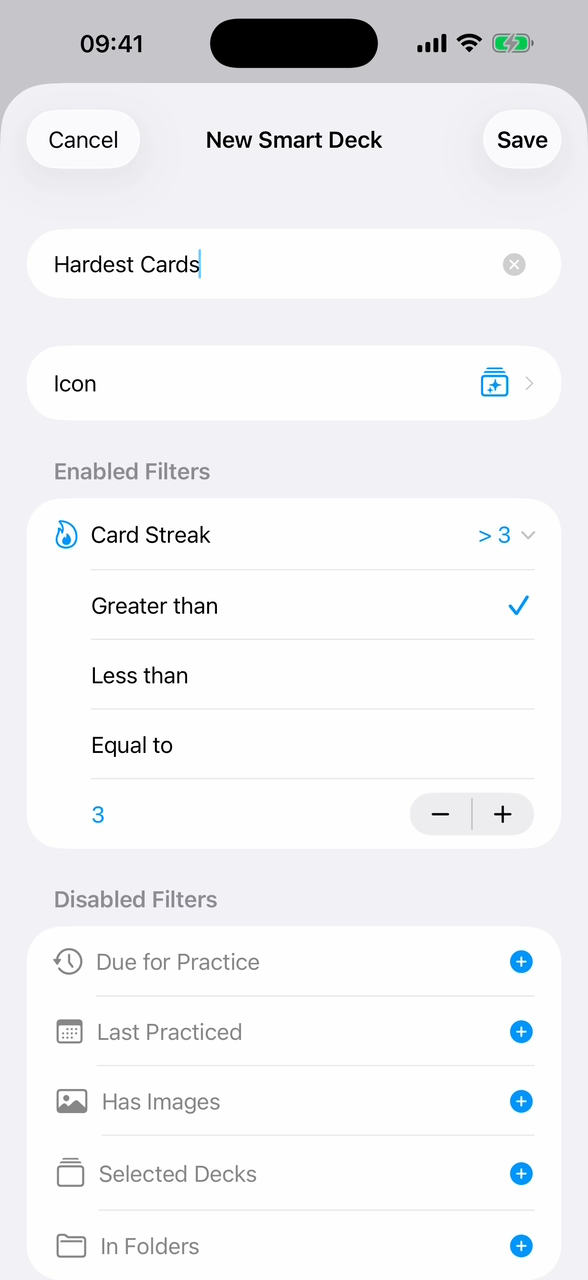
Dynamic collections that update automatically based on your rules. Build filters in a Reminders-style editor by due status, accuracy, streak, last practice date, source decks or folders, and combine them with AND or OR logic. Great for focused review sessions. Smart Decks are Premium, but the built-in Due for Practice smart deck is free for everyone.
Yes. Turn on Review Both Directions for a deck to practice Back → Front too, with separate progress for each direction across scheduling, imports, exports and insights.
A session you build yourself on iPhone, iPad or Mac. Choose decks, due-only cards, the first side, session size, card order, study focus and whether missed cards return.
Yes. Pause Reviews sets a card or a whole deck aside. It stays in the library, keeps its schedule and drops out of due counts, practice, reminders and widgets until you resume.
Choose how the answer appears when you flip a card: scribble draws it word-by-word, fade and wipe add smooth transitions, iris reveals from center outward or instant for no animation. Find it in Settings.
Yes. Ask Siri to add a card, start a practice session, practice a deck, open a deck, search your library or check how many cards are due.
Yes. Turn on notifications in Settings to get reminders when cards are due. Reminders are per-device and arrive in the afternoon and evening.
Read the guides above or contact us through the website. We typically reply within one business day.
Yes. Add images to the front, back or both sides of any card. Images display on iPhone, iPad, Mac and Apple Watch.
Yes. Record up to 30 seconds of audio per side on iPhone and Mac. Playback works on iPhone, iPad and Mac. On Apple Watch, audio playback is off by default and can be turned on in the watch app settings.
Yes. Use bold, italic and underline to emphasize key terms and make your cards easier to scan.
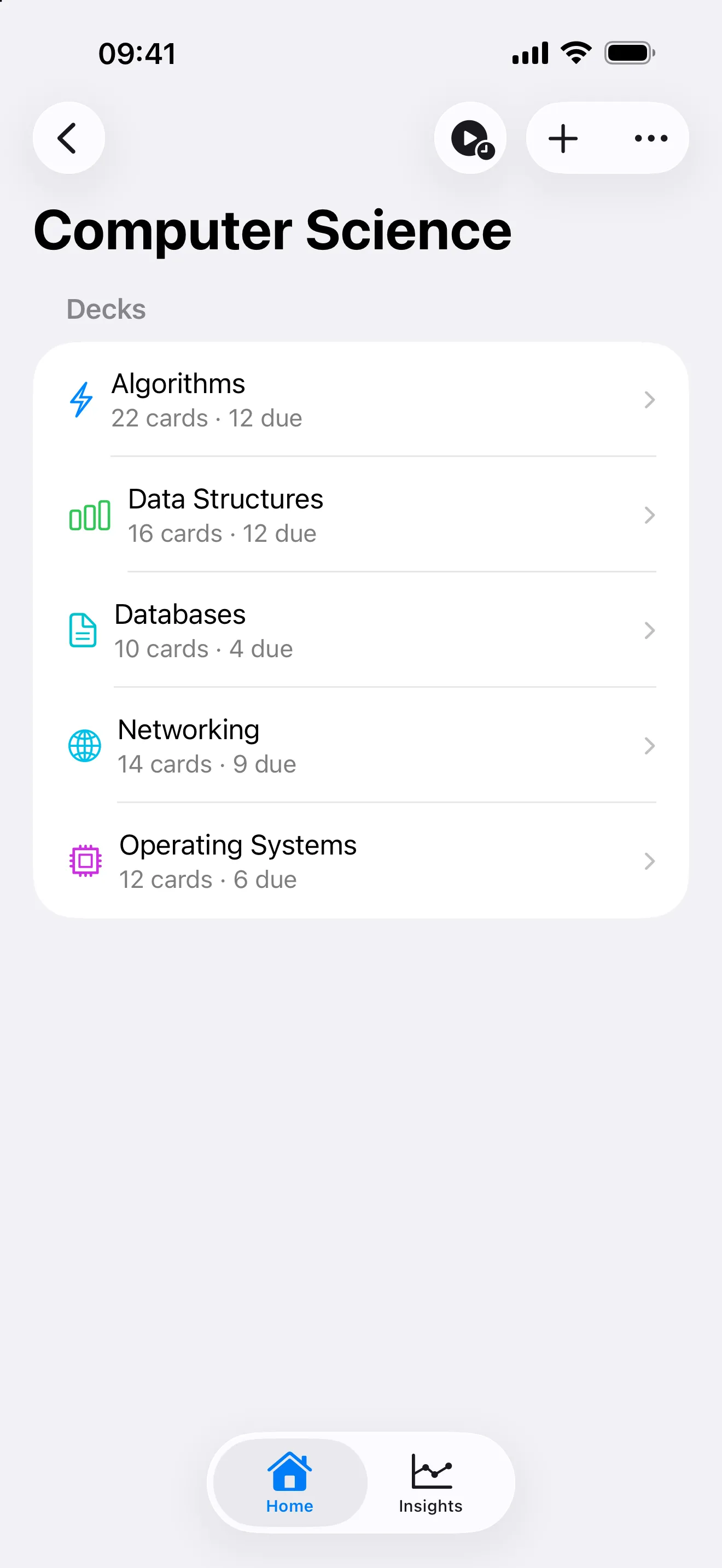
Create folders to group related decks. Customize each folder with icons and colors. Nest folders for deeper organization. Folders are a Premium feature.
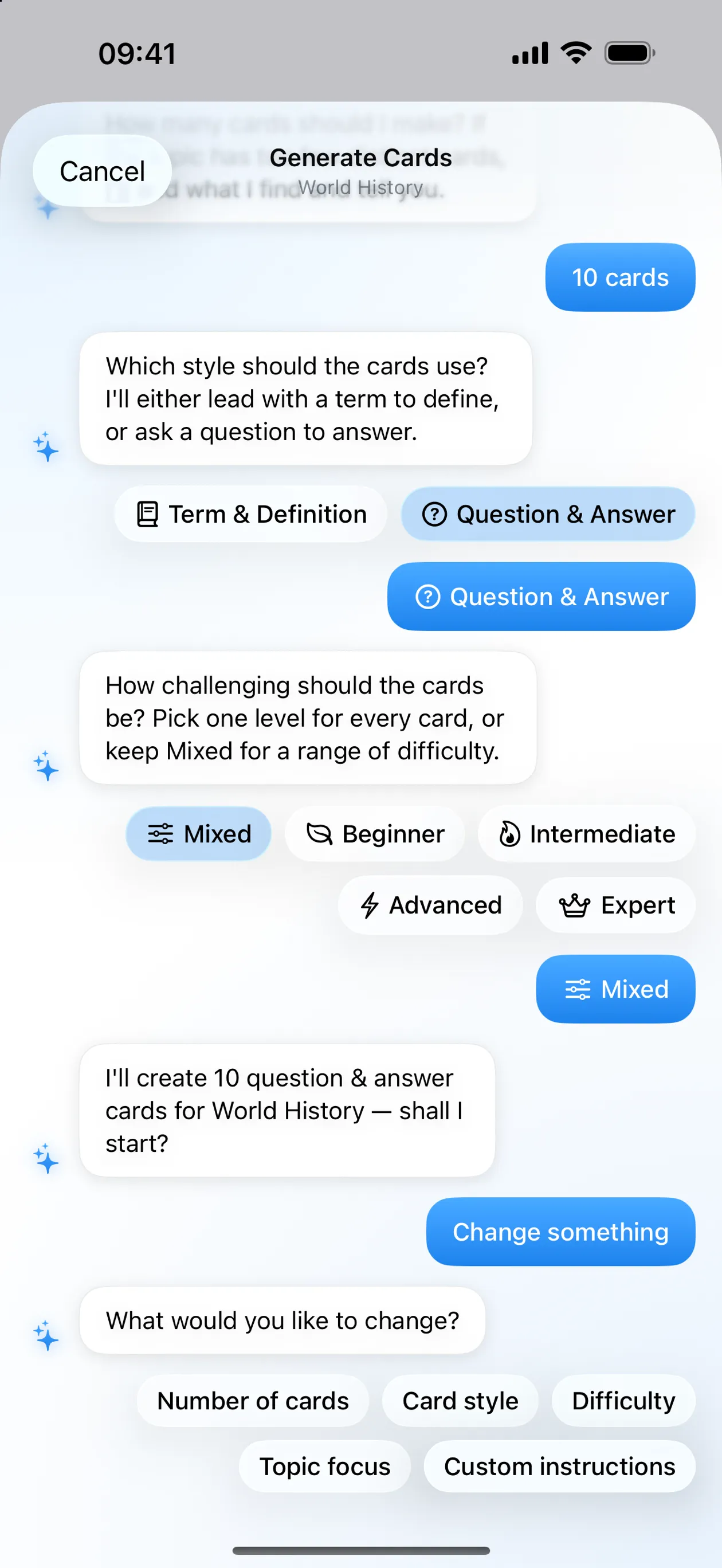
Yes. Premium generates flashcards from a deck name, adds AI cards to existing decks and fills in one side of a card. You review generated cards before they save. On iPhone and iPad, Cloud AI writes the cards by default. On-device generation with Apple Intelligence stays available there and is the engine on Mac.
Yes. Deck names and card text are indexed in system search on iPhone, iPad and Mac. Tap a result to open its destination in Swiftflip.
Yes. The Share Extension on iPhone and Mac sends text, links or images straight into a deck. Use it from Safari, Notes, Messages and most apps that share content.
Start a practice session on one Apple device and continue it on another, including Apple Watch. Graded cards carry over so you pick up where you left off.
Yes. App Shortcuts include Add Card, Practice Due Cards, Practice Deck, Open Deck, Search Library, Check Due Cards, View Decks and View Insights. They work without setup, and you can build your own Shortcuts on top of them.
Premium is a one-time lifetime purchase or a monthly or yearly subscription. Core practice and unlimited decks stay free.
Keep the spaced repetition you rely on, with a native Apple app and an Apple Watch you can study on.
No sign-up or HK Softworks-hosted profile. Your decks stay on your devices and sync through your private iCloud.
Short daily reviews help vocabulary stick. Add audio for pronunciation and run a quick set on Apple Watch.
Browse decks and folders, tap to flip and grade with buttons or swipes. Continue a session from iPhone or Mac.
Create your first deck, import existing cards and build a daily study habit across all your Apple devices.
Bring Anki decks into Swiftflip from apkg or colpkg files, including images, audio, formatting and review progress, and learn what does and does not transfer.
Manage your library, edit cards and practice from one Mac window, with keyboard shortcuts for the actions you use most.
Install Swiftflip on Apple Watch, browse decks and folders, review due cards and set wrist-specific image, audio and haptic options.
Start with the current App Store release, then open the archive for earlier versions.
Available now
Swiftflip 1.19 lets you review AI-generated cards before they save, do more with Siri and swap Front and Back including images and audio.
Spotlight search, widget practice and simpler AI conversations.
Review AI-generated cards before saving, more Siri and Shortcuts actions and Swap Front and Back.
Custom Practice across every deck, iPad table header sorting and a run of AI, iCloud and practice fixes.
Searchable deck and folder icons, a stronger Apple Watch session and a faster iPad card table.
Pause Reviews, improved Anki compatibility and redesigned Card Insights.
Better AI card quality, plus a hardened import and export path with a rebuilt Anki reader.
Fixes for the AI wizard, study reminders and Cloud AI language handling.
Cloud AI generation, per-deck reviews in both directions and Custom Practice sessions, with a rebuilt AI wizard and a new paywall.
A Search tab across the whole library, repeat practice for missed cards, and a large Mac and Apple Watch pass.
A paywall pass, with the due-count widget renamed to match the widget gallery.
Undo and redo across the library, Home Screen widgets, an Apple Watch complication and a large Mac release.
Practice fixes for selected decks and folders.
Inline counts, instant editors and Practice All that leaves your schedule alone.
Paywall and layout fixes.
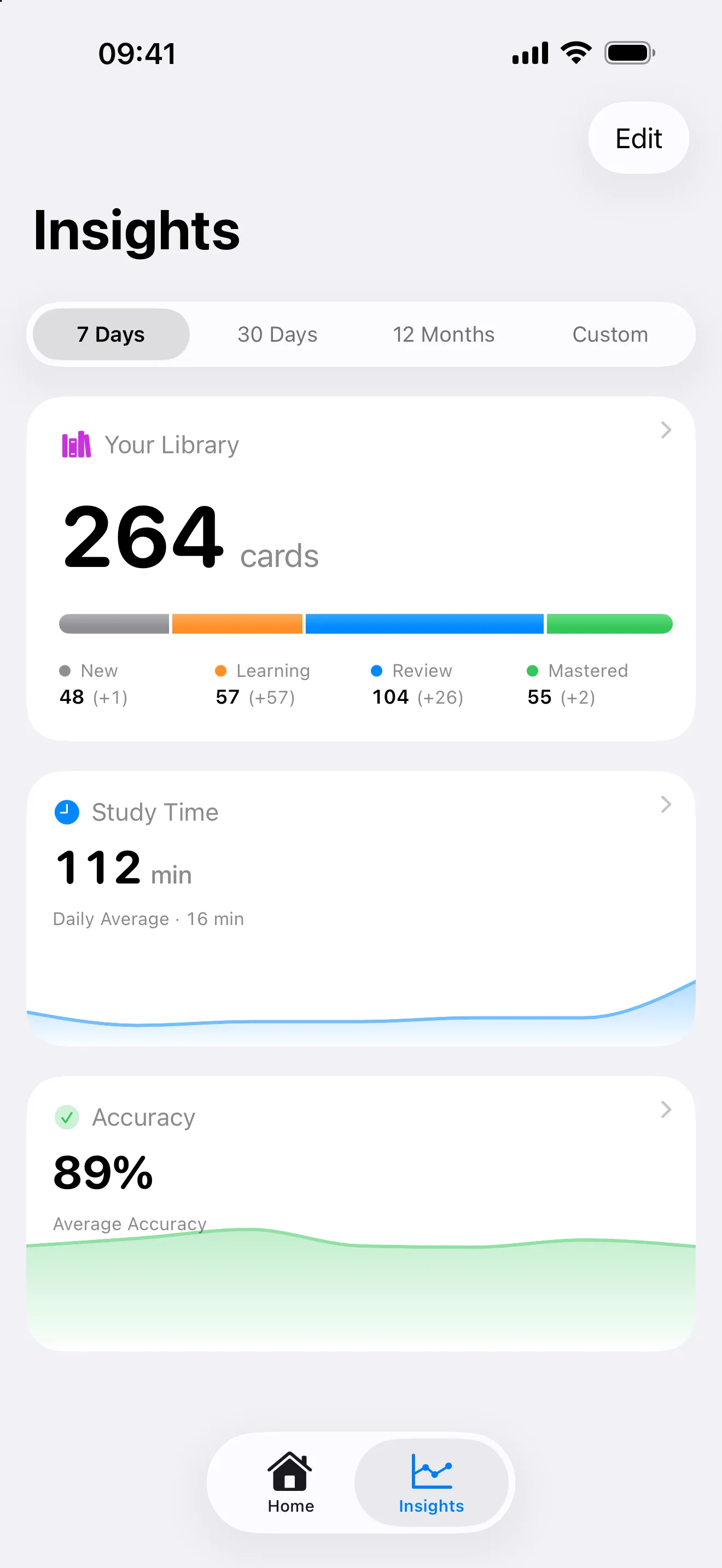
A redesigned Insights tab, first-run onboarding and a long run of Apple Watch sync fixes.
Upgrade and share-extension fixes, plus scheduling state in exports.
Spotlight search, card links and a rebuilt share extension, with Digital Crown zoom on Apple Watch.
AI card generation, a For You section on Home and Swedish and Spanish localizations.
Native sharing, a redesigned practice completion screen and easier access to Insights.
Card editor, Handoff and translation fixes.
Folders, study reminders, an unlimited free tier and a broad accessibility pass.