

A spaced repetition flashcard comes back on a schedule. Each time you recall it, the gap before the next review grows. Each time you miss it, the gap shrinks. Your study time goes to the cards you are about to forget, and the ones you know well stay out of the way.
This page covers why that works, how Swiftflip decides when a card returns and how to get the most from it.
Why spacing works
In 1885 Hermann Ebbinghaus memorized lists of nonsense syllables and tested himself at intervals. Much of what he learned faded within a day, and the loss slowed after that. That shape is the forgetting curve.
Two findings explain what to do about it:
- Spacing. Reviews spread over days beat the same reviews crammed into one sitting. A review of 317 experiments found that spaced study outperformed massed study, and that the best gap between sessions grows with how long you need to remember (Cepeda et al., 2006).
- Retrieval. Trying to recall an answer strengthens memory more than reading it again. In one study, students who tested themselves remembered more a week later than students who reread the passage, even though rereading made them feel more confident (Roediger and Karpicke, 2006).
A flashcard does both. You try to recall the answer before you flip, and the schedule spaces the attempts. A 2013 review of ten common study techniques gave its top rating to only two: practice testing and distributed practice (Dunlosky et al., 2013).
From a shoebox to a scheduler
In the 1970s Sebastian Leitner described a paper version that still works. Take a box with five compartments:
- New cards go in compartment 1.
- Review each compartment on its own rhythm, for example compartment 1 every day, 2 every other day, 3 every four days, 4 every eight days and 5 every sixteen days.
- A card you get right moves up one compartment. A card you miss goes back to compartment 1.
The box has one weakness. Every card in a compartment waits the same time, however easy or hard it is for you.
Software fixes that by tracking each card on its own. SuperMemo’s SM-2 algorithm from 1987 adjusts each card’s gap with an ease factor, and Anki’s original scheduler grew out of it. FSRS, the Free Spaced Repetition Scheduler, is a newer open-source model. It estimates two things for each card: how stable your memory of it is and how hard it is for you. From those it predicts the chance you still remember the card on any given day, then schedules the review for when that chance drops to your target. Anki has offered FSRS as an option since version 23.10 and moved to FSRS-6 in version 25.07.
How Swiftflip schedules your cards
Swiftflip uses its own scheduler, which we wrote and maintain. It uses the FSRS-5 formulas and the FSRS-5 default parameters published in 2024, with a few changes of our own to how difficulty and relearning are updated. It also differs from FSRS in Anki in these ways:
- An earlier model. Anki offers FSRS-6. Swiftflip is built on FSRS-5.
- Two grades instead of four. Swipe right if you knew it and left if you did not. There is no Hard or Easy.
- The same parameters for everyone. Anki can tune FSRS to your review history. Swiftflip uses those published defaults for every card.
- Fixed first steps. A new card comes back 10 minutes after its first view, whether you knew it or not. Pass it then and the gap jumps to a day or more.
- A 10-minute floor. No card is scheduled sooner than 10 minutes, even after a miss. With Repeat Incorrect Cards on, a missed card still returns later in the same session.
- No random spread. Anki adds a little random variation to intervals so cards added together drift apart. Swiftflip uses the exact interval.
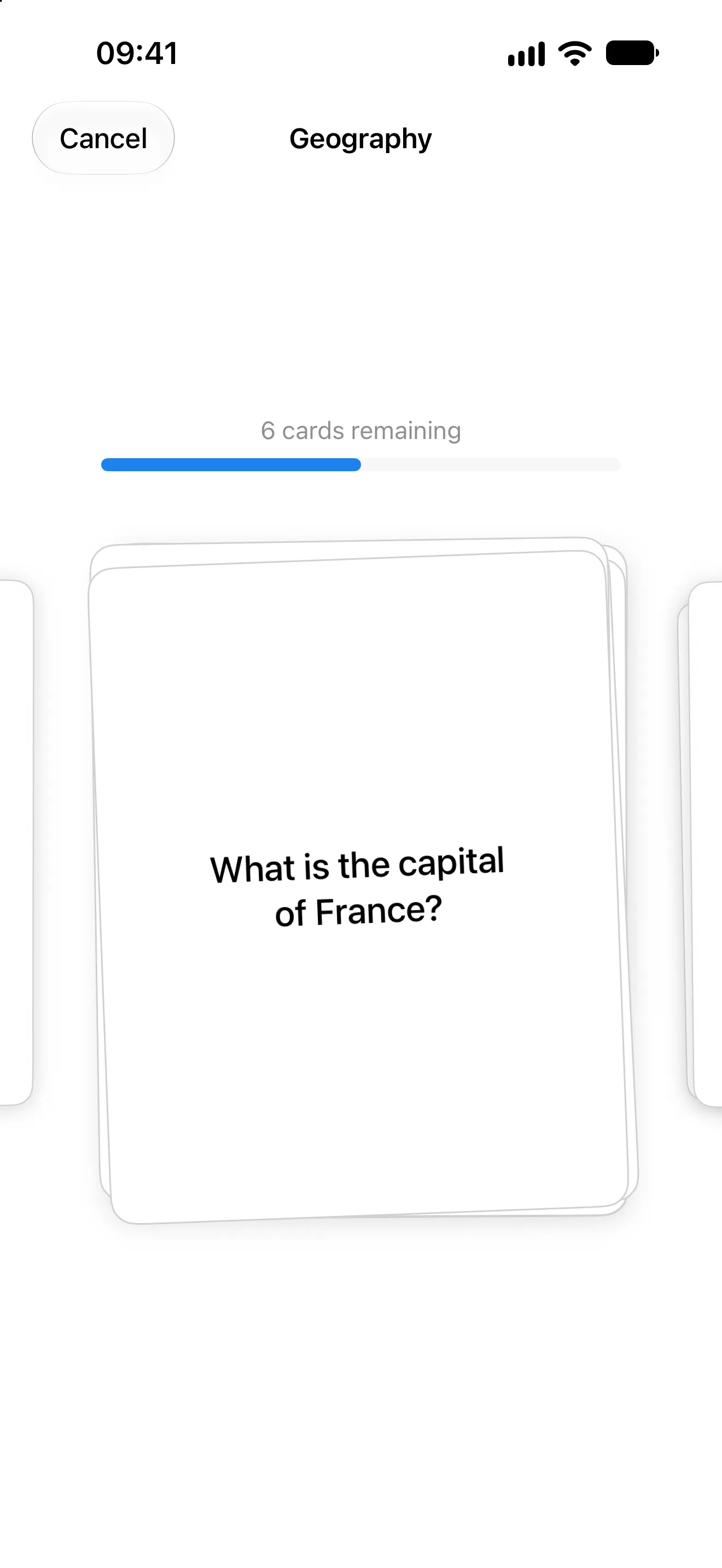
Recall the answer, flip the card, then swipe right or left.
Why two grades? Choosing between Hard, Good and Easy is a judgment you make hundreds of times a week, and it is easy to make inconsistently. “Knew it” or “didn’t” is a question you can answer honestly in a second, and the same swipe works on Apple Watch. The FSRS project’s own tutorial says the model has been a little more accurate for people who mostly press Again and Good, though it adds that this may change. The cost is control: you cannot tell Swiftflip a card was easy and push it far out in one step.
When a card comes back
These are the gaps Swiftflip schedules at Balanced, the default, for a new card you get right every time and review on the day it is due. They come from running our scheduler.
| Answer | Next review in |
|---|---|
| 1st correct answer | 10 minutes |
| 2nd correct answer | 4 days |
| 3rd correct answer | 15 days |
| 4th correct answer | 47 days |
| 5th correct answer | 4 months |
| 6th correct answer | 11 months |
The Practice Frequency slider in settings moves the whole schedule. At the Most Frequent end, the same card comes back after 2, 5, 10, 20 and 38 days. At the Least Frequent end, it waits 10 days, then 66 days, then 11 months.
The slider aims for 80% recall when a card is due at the Least Frequent end, 90% at Balanced and 95% at the Most Frequent end. The FSRS tutorial suggests 80% to 95% as a sensible range and 90% for most people. Higher targets mean shorter gaps and more reviews.
Real cards rarely follow a perfect run. Harder cards get shorter gaps, and a miss sends a card back to short gaps. At Balanced, here is a card you miss after its 47-day gap:
- before the miss: 10 minutes, 4 days, 15 days and 47 days
- after the miss: back in 10 minutes
- then: 5 days, 13 days, 31 days and 71 days
Because the model now rates the card harder, the gaps also grow more slowly than a new card’s: 5, 13, 31 and 71 days instead of 4, 15, 47 and 132.
How many new cards a day
New cards are cheap today and cost you later, because every card you add keeps coming back. We ran our scheduler for a learner who studies every day, knows about half of new cards on first sight and then remembers each card with the probability the model predicts. At Balanced, here are the reviews a day on day 30, 90 and 180:
| New cards a day | Day 30 | Day 90 | Day 180 |
|---|---|---|---|
| 5 | about 30 | about 40 | about 45 |
| 10 | about 55 | about 80 | about 90 |
| 20 | about 115 | about 160 | about 180 |
Counts include the first views of new cards and all 10-minute repeats. The load keeps growing slowly for months, so start with 5 to 10 new cards a day. If reviews start to feel heavy, add fewer new cards for a week instead of skipping reviews. Cards per Session in settings caps a session at 40 cards by default, and when plenty of seen cards are due, Card Mix set to Mostly Review fills it mostly with those.
How to make flashcards that stick
In Swiftflip, open a deck and tap or click + to add a card, or import cards you already have. The schedule can only space what the card asks, so a few rules do most of the work:
- One fact per card. A card with three answers gets one grade, so the part you forgot hides behind the parts you knew.
- Ask for recall, not recognition. “What is the capital of Australia?” teaches more than “Is Canberra the capital of Australia?”
- Split lists. Instead of one card for all eight planets, make a card for each: “Which planet is fourth from the Sun?”
- Grade honestly. If you needed to see the answer, swipe left. A generous grade sends a card further out than your memory can hold.
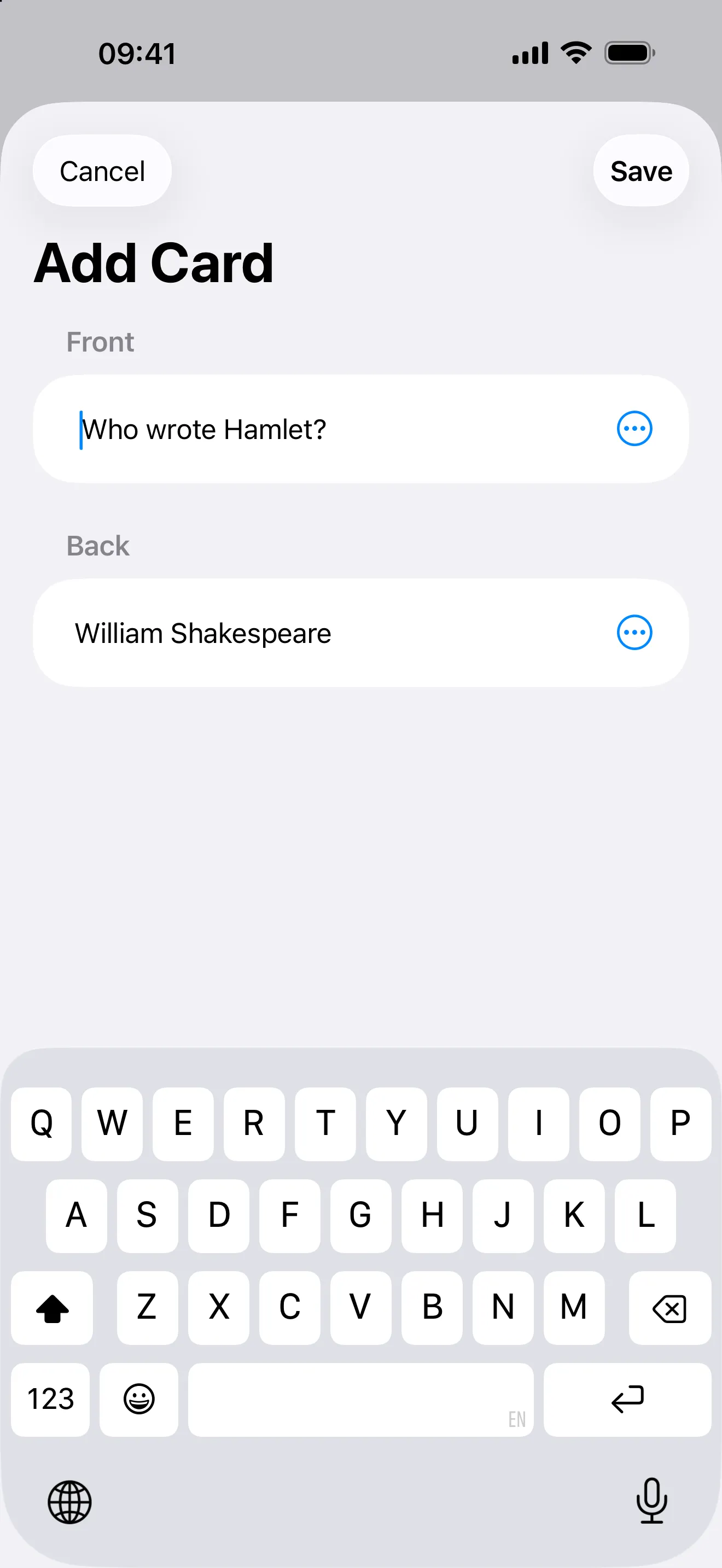
One question on the front, one answer on the back.
Two examples:
| Instead of | Try |
|---|---|
| Front: Mitochondria. Back: Makes ATP, has its own DNA and a double membrane. | Front: Which part of the cell makes most of its ATP? Back: The mitochondria. |
| Front: perro. Back: dog. | Front: “El perro duerme en el sofá.” What does perro mean? Back: dog, with a recording. |
For vocabulary, turn on Practice Both Ways to recall each card from both sides, and add audio for pronunciation.
After a break
Skipping a few days does not reset anything. When you come back, overdue cards are waiting. The model accounts for the extra time: remembering a card after a longer gap is stronger evidence, so its next gap grows more than usual.
If you know a break is coming, Pause Practice sets a card or deck aside so it leaves your due counts. Pausing does not move due dates, so cards that came due during the break are waiting when you resume. To catch up, run a few short sessions instead of one long one.
When spaced repetition is the wrong tool
Flashcards keep facts you already understand. They are a slow way to understand something for the first time, so read, watch or work through the material first, then turn what you want to keep into cards.
They do not build skills on their own either. Cards can teach you the words of a language, but speaking it takes speaking. Spaced repetition works best as the part of studying that stops you losing what you learned elsewhere.