News.
Product updates, release notes and company writing.
What changed in our apps and what we think about privacy.
Swiftflip 1.23.1
 Swiftflip 1.23.1
Study reminders name the decks with due cards and can say how long practice takes. Cards imported from Anki no longer repeat the question above the answer, and widgets count each card as it comes due.
Swiftflip 1.23.0 brings new Insights, card filters, Starter Decks and more
See how many of your cards you would remember today, filter a deck's cards, add a finished Starter Deck and keep your streak on days with nothing due.
Swiftflip 1.22.1
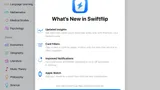
Generate from File or Photo writes up to 50 cards from a long file or many photos, and the Streak card opens Activity without Premium. Exports, search and Insights are faster in large libraries.
Swiftflip 1.22.0 brings cards from your files, Themes, Automatic Backups and more
Generate cards from files, photos and pasted text, practice in front of a theme, see every card when you finish and back up your library each week.
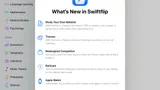
Swiftflip 1.21.0 brings a Deck widget, a due cards control, pictures on cards and more
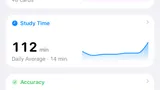
Practice due cards from Control Center, put one deck on the Home Screen, add a picture and a recording to a card and see upcoming reviews in Insights.
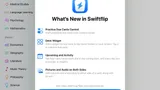
Swiftflip 1.20.3
View Cards and All Caught Up say when cards are due again, and a deck's practice button stays when nothing is due. Import is in the add menu on iPhone and iPad.
Swiftflip 1.20.2
Going back from a deck in a folder returns to the folder on iPhone, and Library Growth and Cards by Deck stay visible in Insights. Report a Problem opens a Mail sheet inside the app.
Swiftflip 1.20.1
Practice can play a short sound when a session completes, and new or edited decks and cards appear in Spotlight right after saving. Deleting a deck permanently no longer crashes.
Swiftflip 1.20.0 adds Cloud AI on Mac and streak reminders
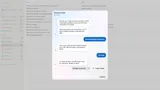
Start a Smart Deck from a suggestion, get a reminder before a streak breaks, look over every card after a session and generate cards with Cloud AI on Mac.
Swiftflip 1.19.3
Widgets keep deck queues accurate through refresh failures and day changes, and in Search you can move, pause, resume or delete selected cards from the bottom toolbar. Audio playback now starts reliably.
Swiftflip 1.19.2
Cards, drafts, preferences and Smart Decks are kept when a save or import fails. Audio starts playing without blocking the interface, free deck options come first and Premium controls are easier to spot.
Swiftflip 1.19.1
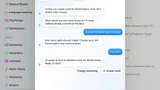
Find decks and cards in Spotlight and practice from the Deck Queue widget. When generating cards with AI, choose a suggestion in one tap or type your own answer in a compact composer.
Swiftflip 1.19.0 adds AI card review and Shortcuts
Review generated cards before saving, add a card or search with Siri and swap Front and Back including images and audio.
Swiftflip 1.18.1
Custom Practice adds an All Decks option, and on iPad you can sort the card table by tapping a header. Insights charts plot empty days as zero, so they start at the selected range.
Swiftflip 1.18.0 adds searchable icons and Watch practice
Search emoji and symbols together, continue a session on Apple Watch and share or inspect cards from the iPad table.
Swiftflip 1.17.0 adds Pause Reviews and better Anki import
Pause a card or a whole deck, bring more Anki review progress across and open redesigned Card Insights.
Swiftflip 1.16.2
AI plans the fronts of term-and-definition decks before the definitions, so the terms stay distinct. Imports reject malformed files before saving, and Anki imports read modern compressed media and keep review state.
Swiftflip 1.16.1
The AI wizard keeps the focus you picked or typed. Reminders hold off for a while after you practice, and vocabulary decks no longer ask for an Apple Translation language pack.
Swiftflip 1.16.0 adds Cloud AI and Custom Practice
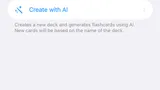
Generate cards with Cloud AI, review decks in both directions and build Custom Practice sessions on iPhone, iPad and Mac.
Swiftflip 1.15.0 adds search and repeat practice
Search your whole library, repeat missed cards in the same session and see clearer practice results across Swiftflip.