
Swiftflip 1.16.0 adds Cloud AI and Custom Practice
Generate cards with Cloud AI, review decks in both directions and build Custom Practice sessions on iPhone, iPad and Mac.
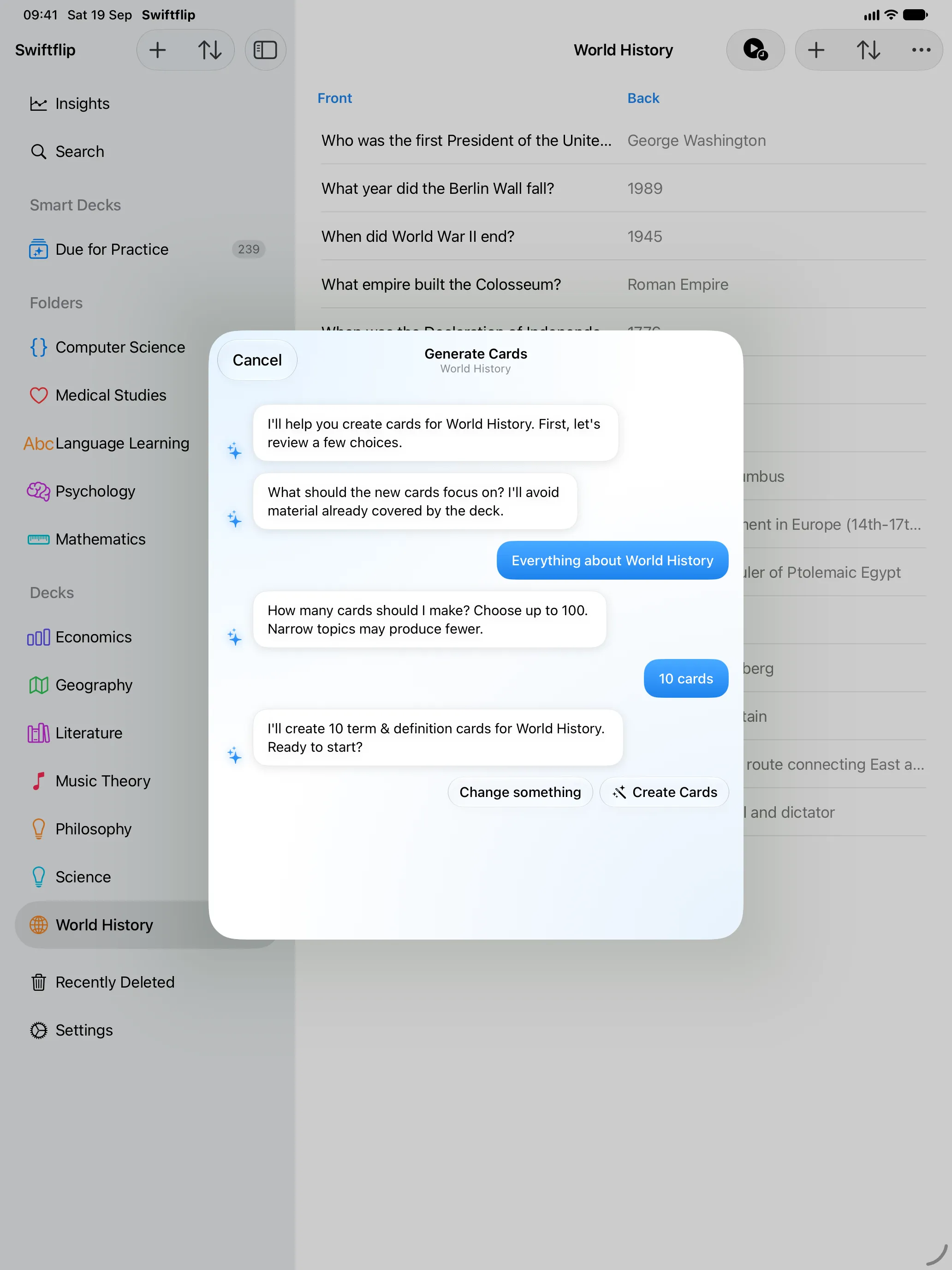
Swiftflip 1.16.0 adds Cloud AI generation on iPhone and iPad, per-deck review in both directions and Custom Practice on iPhone, iPad and Mac.
Generate cards with Cloud AI
Premium members can use Cloud AI on iPhone and iPad. Swiftflip asks before the first cloud request, streams each card as it arrives and can recover an interrupted batch. If the service cannot be reached, the app offers a retry instead of silently switching generation back on-device.
Review both directions
Turn on Review Both Directions for any deck to keep separate Front → Back and Back → Front progress. Scheduling, Handoff, imports, exports and card insights all preserve the chosen direction.
Build a Custom Practice session
Choose decks, due-only cards, the first side, session size, card order, study focus and retry behavior. Custom Practice works across iPhone, iPad and Mac, including multi-deck sessions from a folder.
Give each deck its own AI Instructions
Premium members can write generation instructions per deck, so new cards keep the format and style that deck needs. The AI wizard is shorter too. It asks only for the focus and the card count, then shows each card as it arrives.