
Check Seyvd backup health
Read the protection checks, verify stored content and compare backup destinations.
In development. Not on the App Store yet.
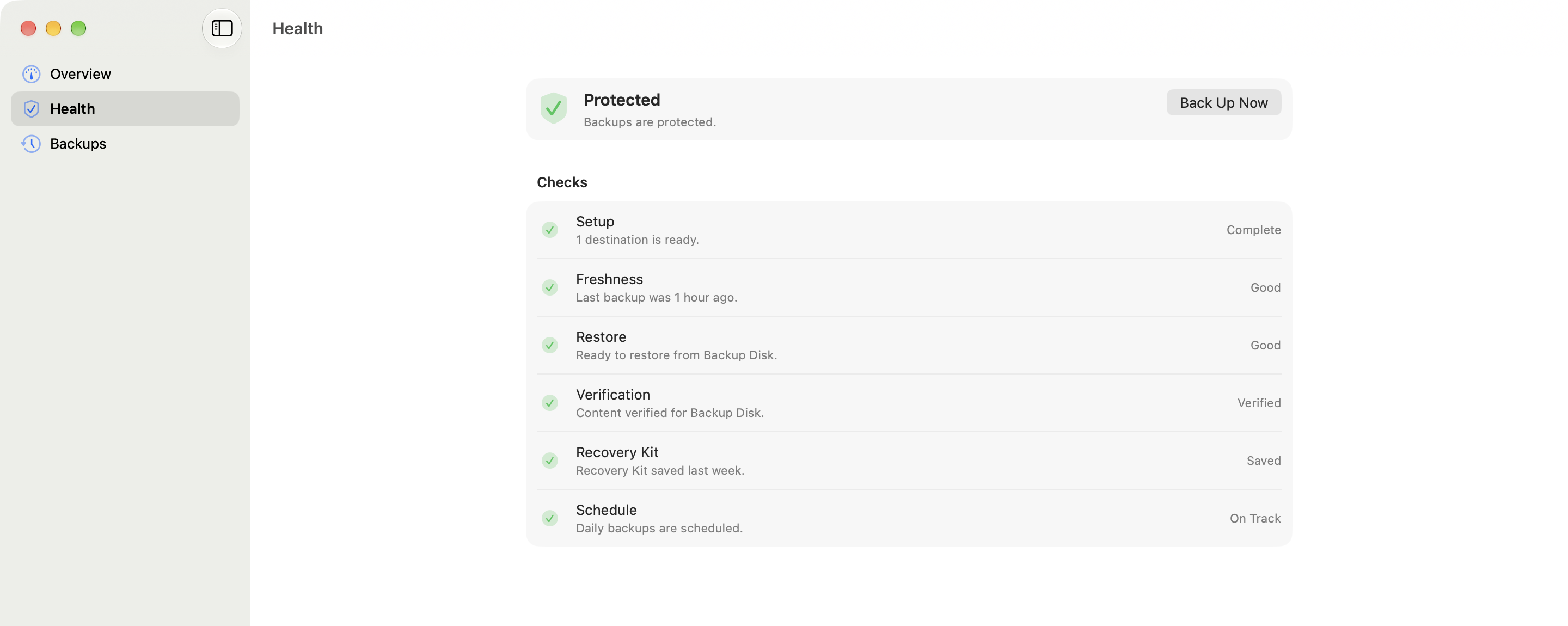
The Health view splits backup readiness into six checks. A recent backup can still need attention if it cannot be restored, its contents have not been verified or the Recovery Kit is missing.
Protection checks
Mac
Read the protection state
Each row reports one part of backup readiness.
Mac
Run a deeper verification
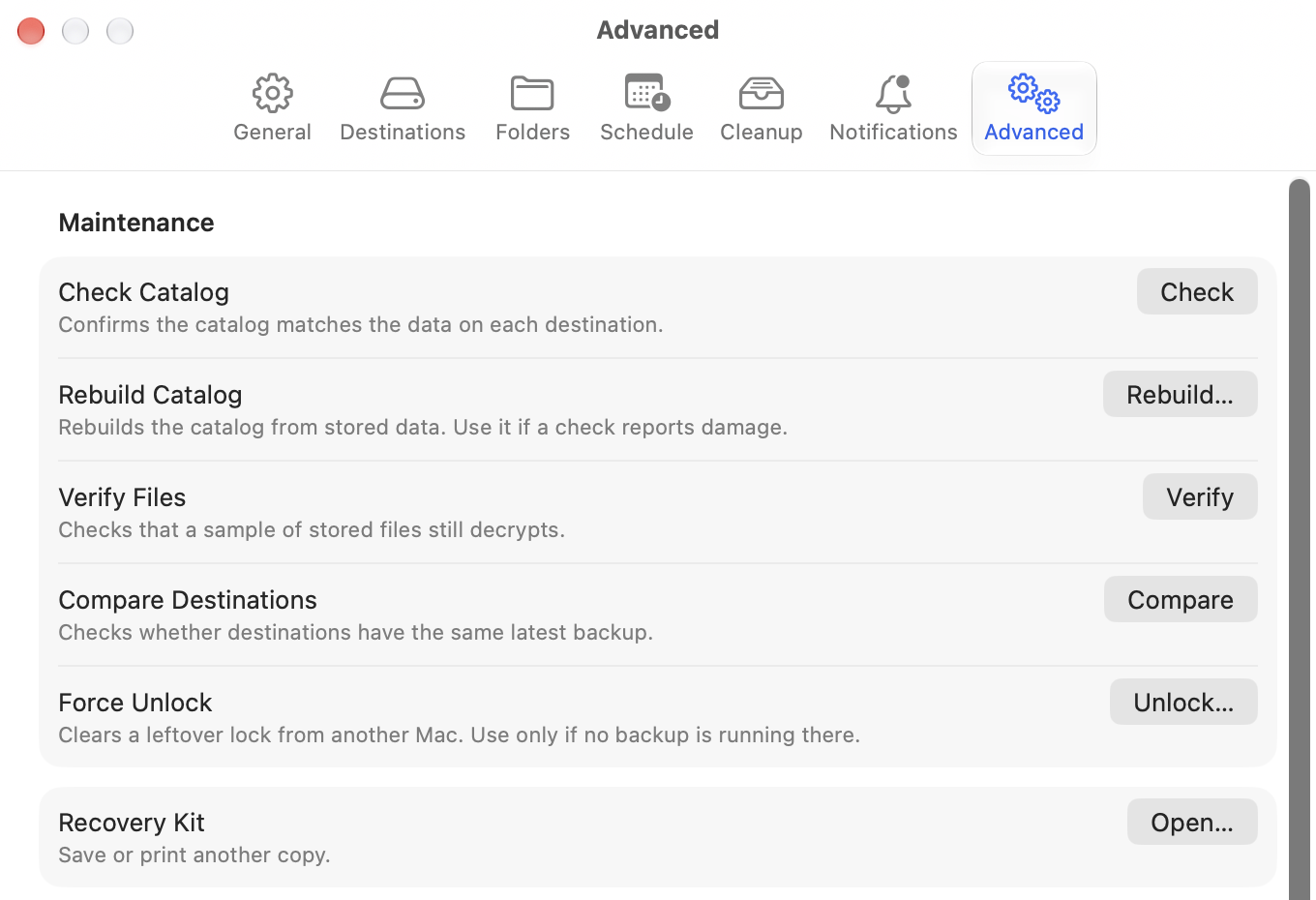
Advanced settings check the catalog, verify files and compare destinations.
Read the Health view
Select Health in the sidebar, then work from the first check that needs attention:
- Setup confirms that at least one backup destination is enabled.
- Freshness compares the latest successful run with your schedule.
- Restore checks that a recent snapshot can be browsed.
- Verification reports whether stored content has passed a sample check.
- Recovery Kit confirms that the fallback has been saved.
- Schedule reports whether automatic backups are active.
Run verification tools
Open Seyvd > Settings > Advanced, or select Open Settings… beside a verification check in Health.
- Check Catalog confirms that the catalog matches the data on each destination.
- Verify Files checks that a sample of stored files still decrypts.
- Compare Destinations checks whether destinations have the same latest backup.
Start with Check Catalog. Run Verify Files when you want stronger evidence that stored data can be read, and Compare Destinations when the same backup should exist in more than one place.