

On this page
To block a distracting website in Safari on Mac, add it to a Safari content blocker or restrict it with Screen Time in System Settings. Hold That Tab is a content blocker for the sites you open by habit. Add a domain and Safari stops loading its homepage, while links to specific pages on that site still open.
Block a site with Hold That Tab
Hold That Tab is available now on the Mac App Store. It is a one-time purchase for macOS 15 or later.
- Install Hold That Tab from the Mac App Store and open it.
- In Safari, choose Safari, Settings, then Extensions and enable Hold That Tab Blocker.
- In Hold That Tab, use the plus button in the toolbar and enter a domain such as
reddit.com. - Open a new Safari tab and type the domain. Its homepage is blocked, and a link to a single post still opens.
The app updates Safari each time you change the list. A tab that was already showing the homepage needs a reload.
If you use Safari profiles, enable the blocker in each profile where you want it. The setup guide covers profiles and what to check when a homepage still opens.
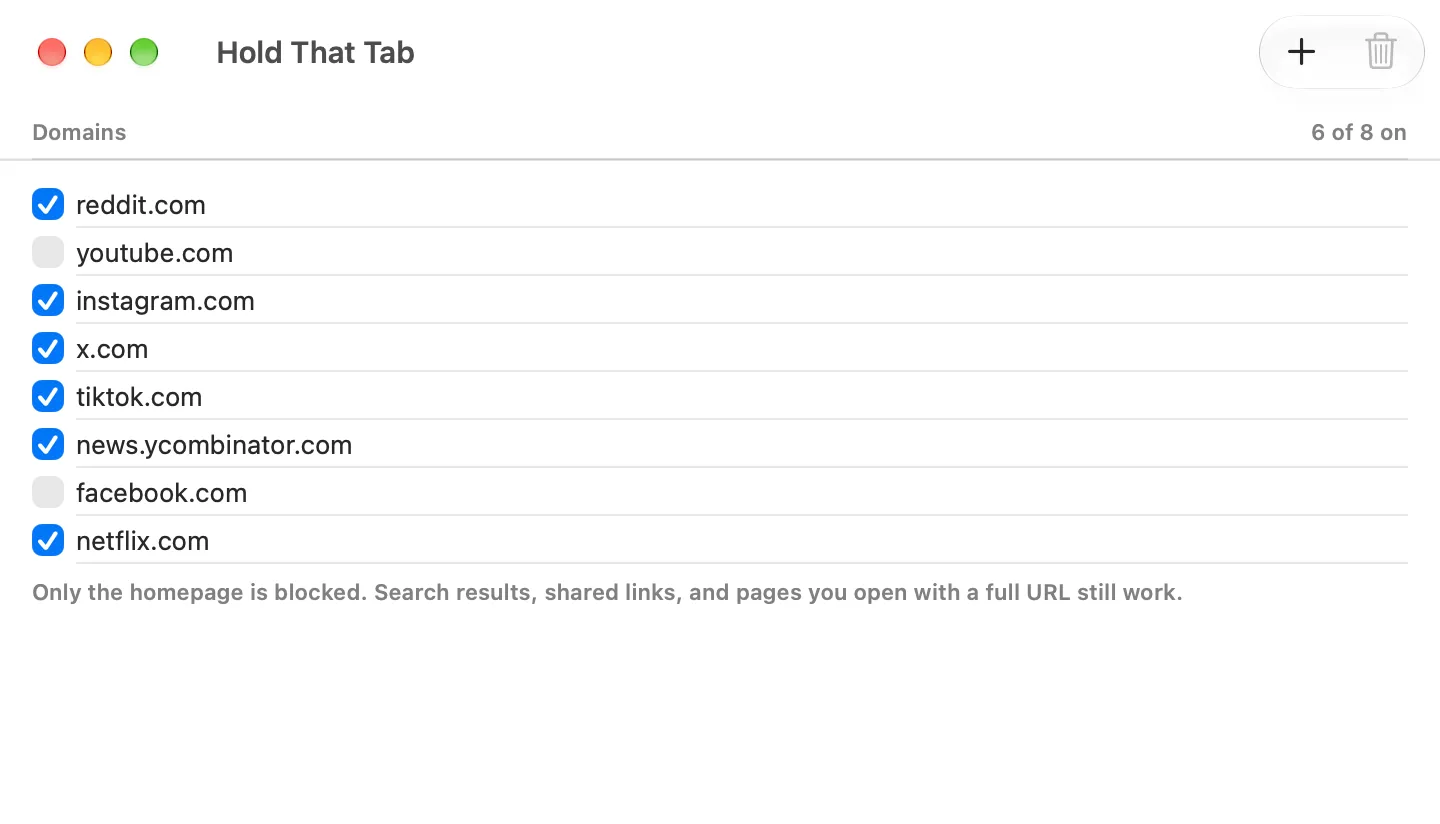
Each domain can be turned off without deleting it.
What gets blocked
Each entry blocks one page, the domain’s homepage. For example.com that means example.com and www.example.com, with or without a trailing slash.
An address with a path, such as example.com/article, still opens. So does another subdomain, such as news.example.com, unless you add it as its own entry.
The homepage is blocked whether you type the address or open a bookmark to it. An article from a search result or a video a friend sent still opens. Block a site’s homepage but still open its links explains the rule in detail.
Pause or remove a site
Turn a domain off to pause its blocking without deleting it. The count above the list shows how many domains are on.
To remove a domain, select it and use the trash button or Edit, Delete. Edit, Undo reverses an addition or a deletion. The blocklist guide has the details.
Use the same list on another Mac
The list syncs through your own iCloud. Install Hold That Tab on each Mac that is signed in to iCloud with the same Apple Account and your domains arrive there.
The Safari setting does not sync with the list. Enable Hold That Tab Blocker in Safari on each Mac and in each profile.
What Hold That Tab does not block
Hold That Tab works in Safari on Mac. It does not block Chrome, other browsers or separate apps. It is a Mac app, so it blocks nothing on iPhone or iPad.
It does not block whole sites either. Pages with a path stay open on purpose.
There is no schedule, time limit or passcode. You can turn any domain off in the app at any time.
Restrict a website with Screen Time
If blocking the homepage is not enough, macOS has Screen Time in System Settings. Its Limit Adult Websites setting has a Customize option where you enter restricted websites. That setting also limits many adult websites automatically. App Limits can set a daily time limit for a website.
Apple has the steps for website restrictions and App Limits.
Privacy
Hold That Tab needs no account and does not track you. It sends nothing to our servers. Your blocklist stays in your own iCloud, where we cannot see it. See the privacy policy.