
Move your Quizlet sets to Swiftflip
Export a Quizlet set, turn it into a CSV with a front and back column and import it into Swiftflip with spaced repetition.
Swiftflip does not import Quizlet sets directly, but moving them over is a quick one-time job through CSV. This guide shows the path. For the reasons to switch, see Swiftflip as a Quizlet alternative.
Export your set from Quizlet
Open your set on the Quizlet website and use its Export option. Quizlet lets you copy your terms and definitions as text, with one character between the term and definition and another between cards. Copy that text.
Turn it into a CSV
The easiest route is a spreadsheet:
- Paste the copied text into a new spreadsheet.
- Make sure the term is in the first column and the definition is in the second.
- Add a header row with
frontin the first cell andbackin the second. - Save the file as CSV.
A header row matters. Swiftflip reads the first row as headers, so without one your first card is lost. Saving as UTF-8 keeps accented characters intact.
Import into Swiftflip
On iPhone or iPad, open Settings then Import Decks. On Mac, use File then Import. Pick your CSV file.
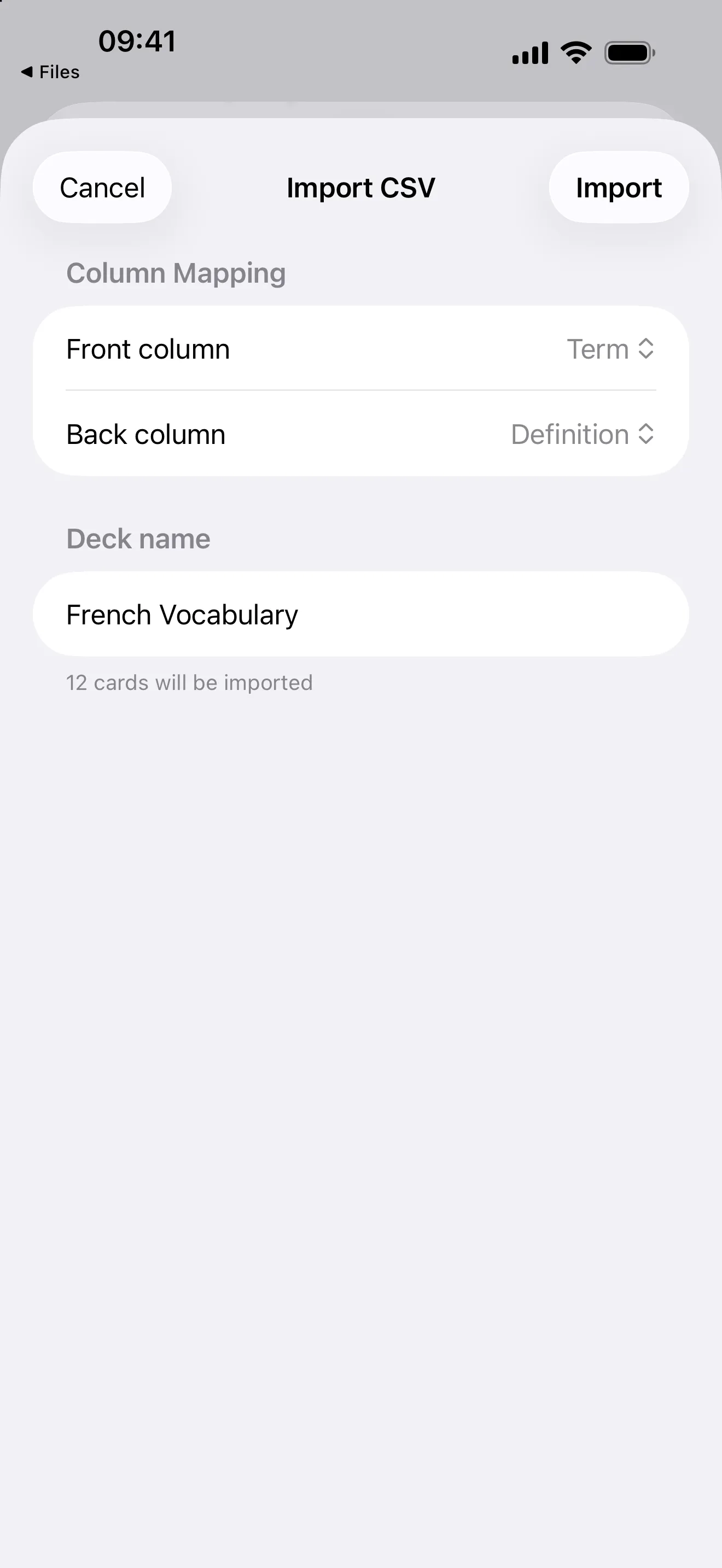
Confirm the columns, then import your set.
Swiftflip detects the separator and matches the front and back columns. Check the preview, pick a destination deck or let the app name one after the file, then import.
Tips for a clean move
- One idea per row. Each row becomes one card.
- Quote commas. If a term or definition contains a comma, wrap it in double quotes.
- Read the detail. The CSV import guide covers column names, separators and encoding in full.
Once imported, your cards behave like any others and spaced repetition starts the next time you practice.