
Close a fiscal year in Smartbok
Work through the year-end checks, review generated entries and lock the period only after approval.
Mac
The current Smartbok build keeps year-end entries review-first. Generating the bokslut does not lock the year; the draft must pass through review before closing can finish.
Year-end checklist
Mac
See what still blocks closing
Year End groups the work that must finish before the period locks.
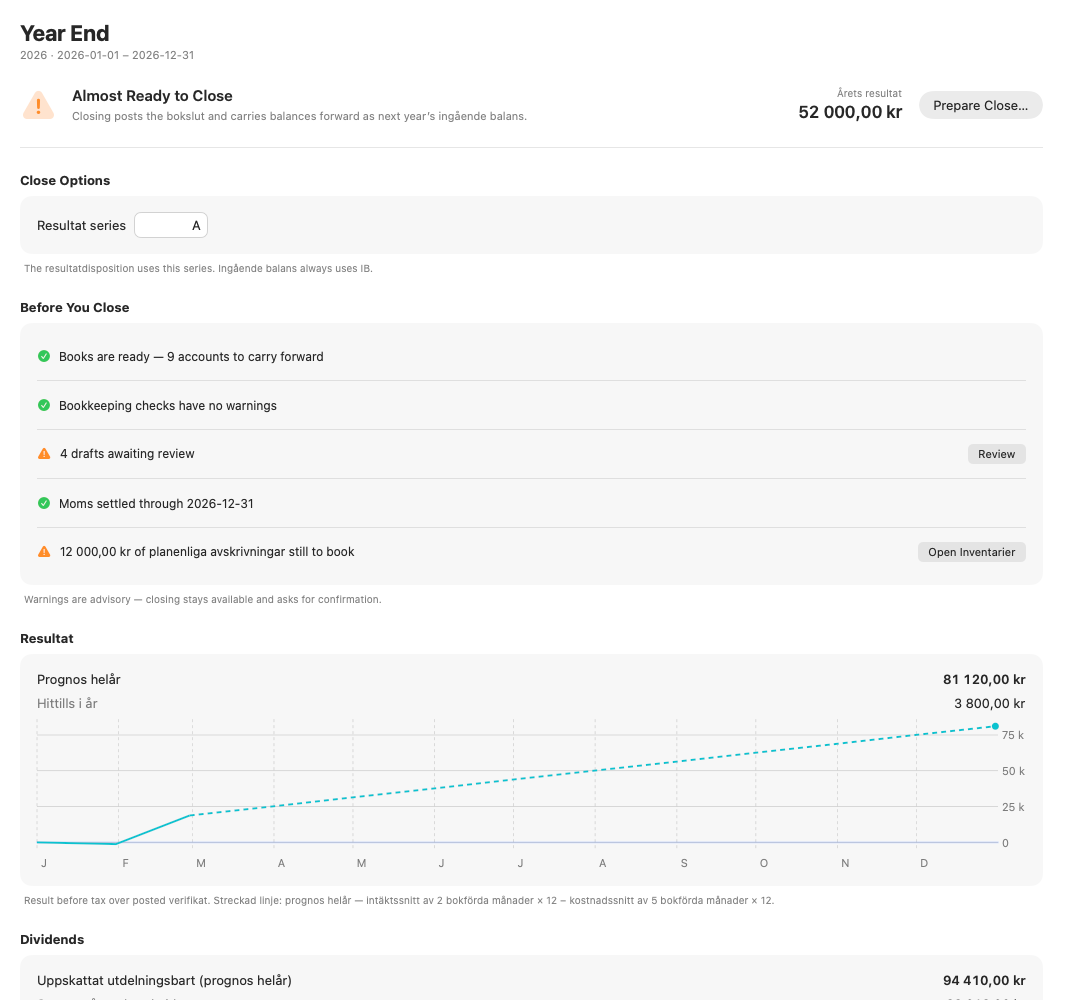
Prepare the year
- Select Year End.
- Choose the fiscal year.
- Review the checklist for pending drafts, VAT, reconciliation and assets.
- Open the linked area for anything that still needs attention.
- Return to Year End after the checks clear.
Review the closing entry
- Generate the year-end entry.
- Open Drafts.
- Check the result transfer, accounts and date.
- Approve the draft when it is correct.
- Return to Year End and close the year.
Smartbok refuses to close a year that is already locked through an earlier date, and it reports a closed year whose saved bokslut no longer matches the journal.